
A click to save YouTube videos into organized collections
Never lose a YouTube video.

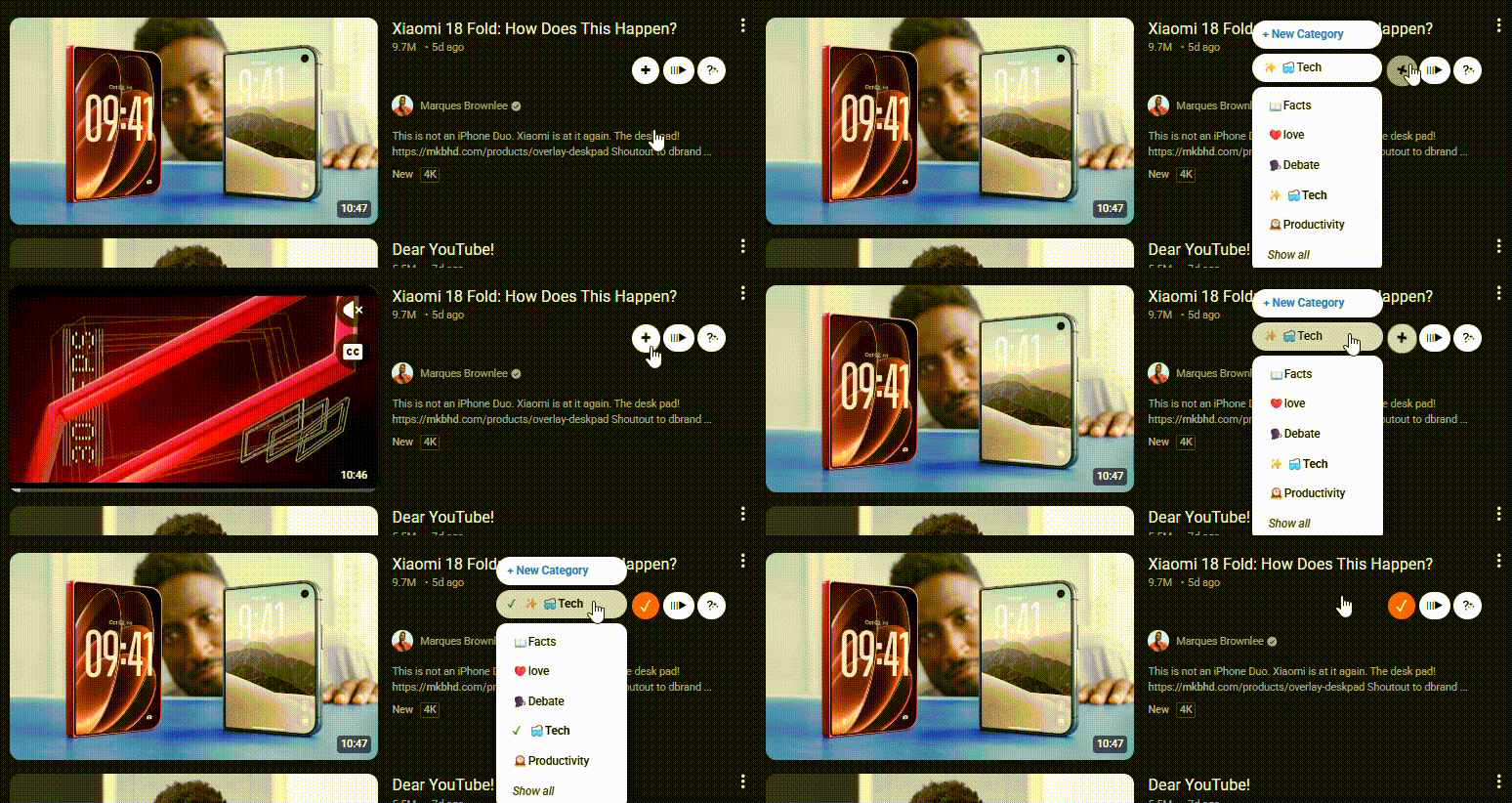
OR
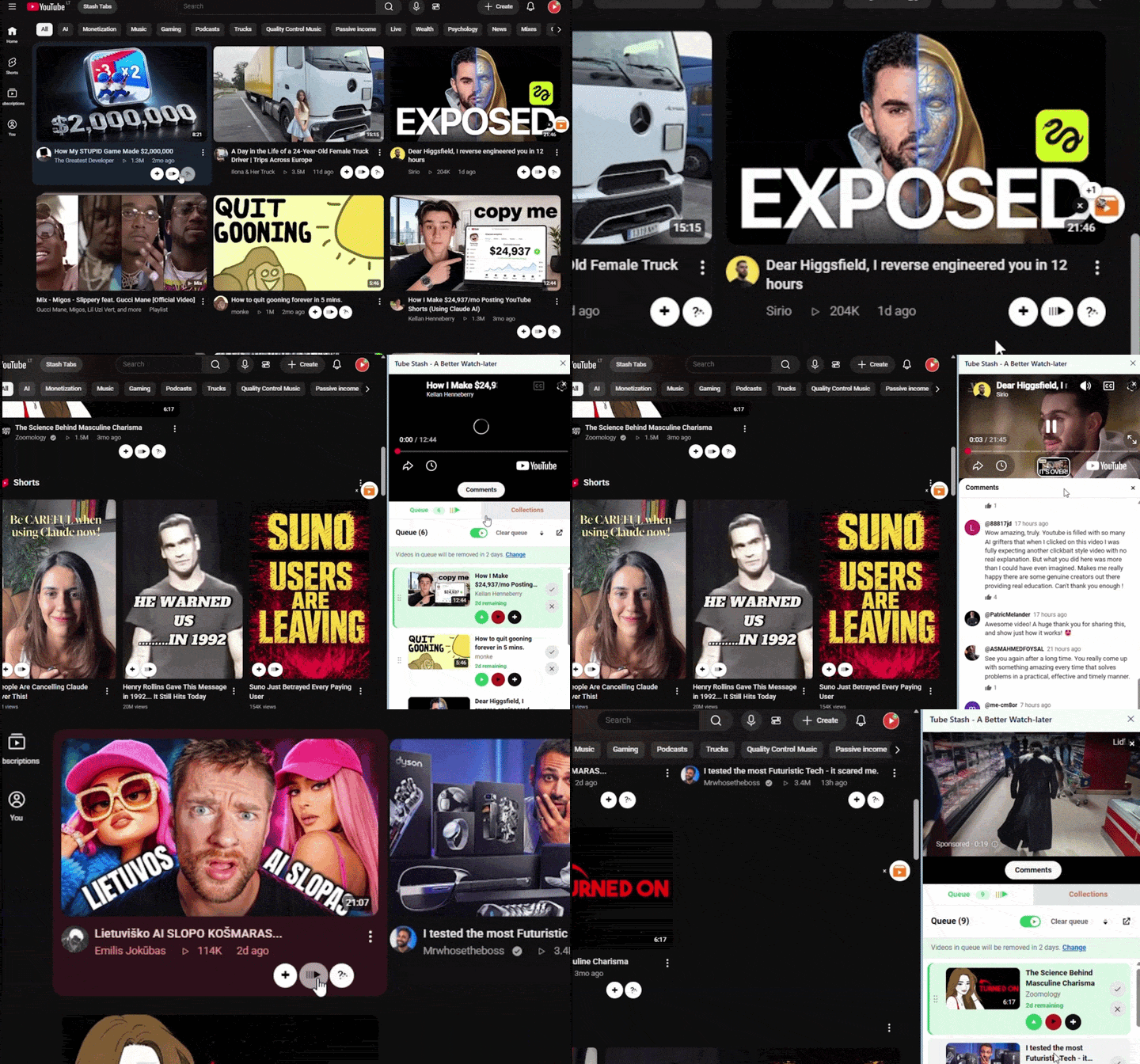
Queue and play,
while browsing the web.
Queue is temporary, videos get deleted after 2 days. Line the videos up and they play one after another, right beside the page.
No more cluttered YouTube tabs.
Features
All your videos organized into categories, in one place
Open the collections page to access all your videos, organized into categories.
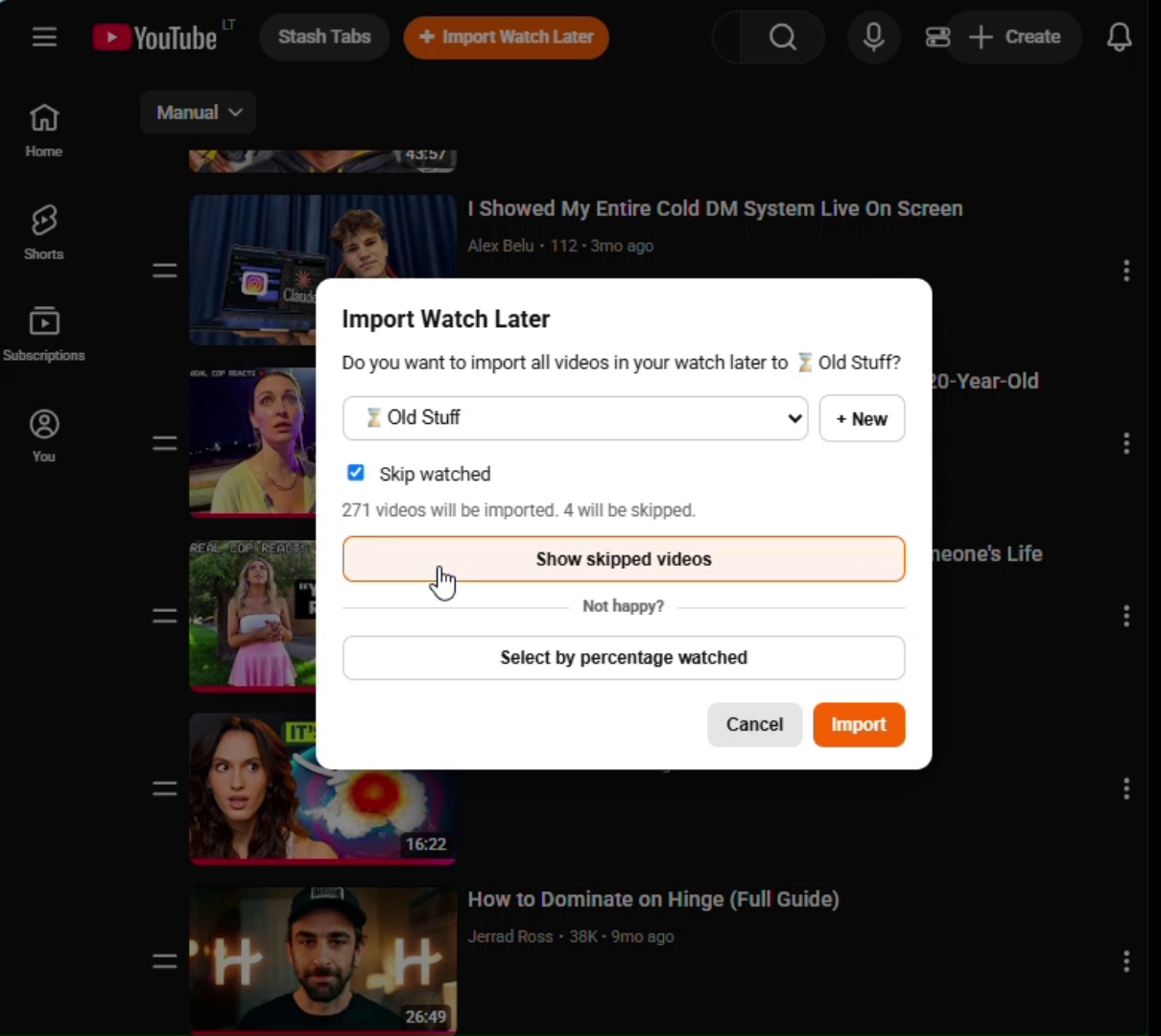
Import your playlists and watch-later from YouTube. Skip watched videos
Easily import your existing YouTube playlists, including your Watch-Later. Leave out the videos you have already watched.
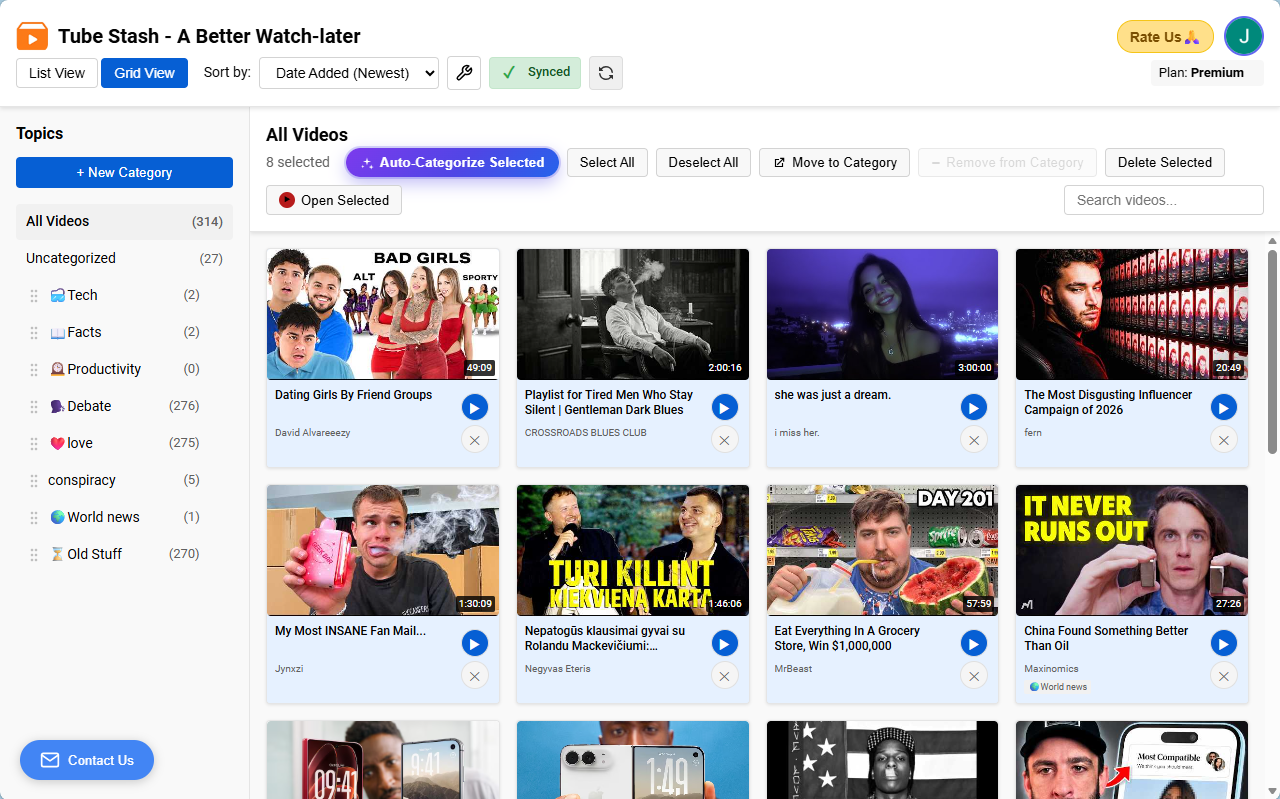
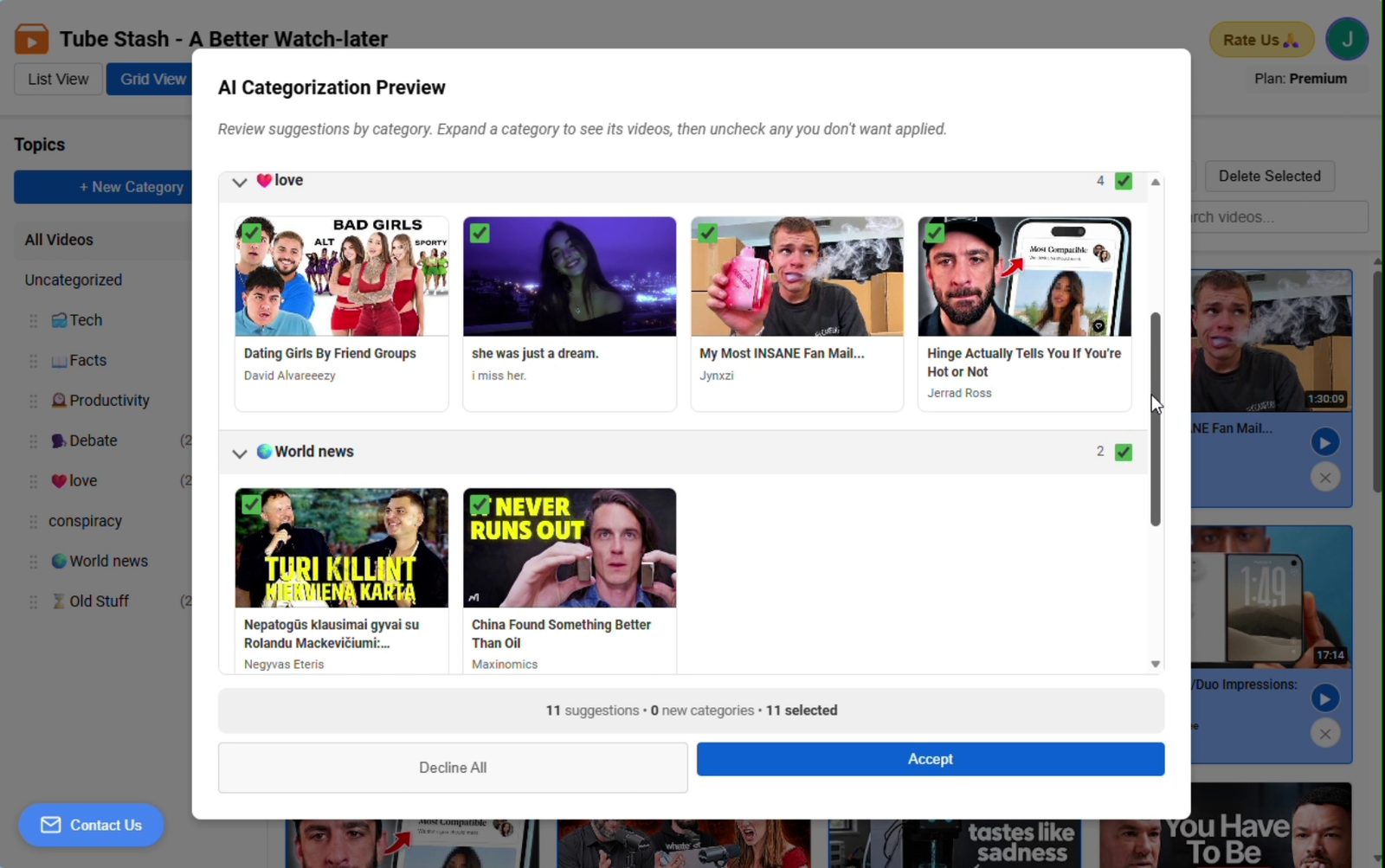
Let AI organize your videos into categories
Select the videos you want to organize and click Auto-Categorize. Tube Stash analyzes your existing video collections and suggests a category for each video, and you accept only the ones that look right.
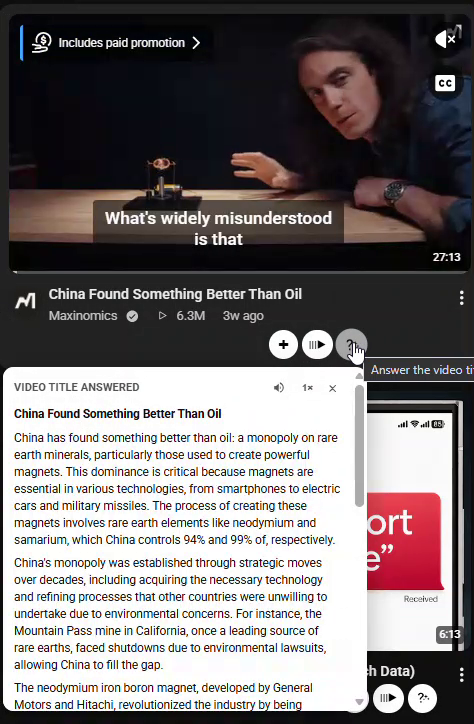
Get the answer to a clickbaity video title
Save time needed to watch a video to find the answer to the video title. One click reads the video transcript and answers what the title was promising.
YouTube vs Tube Stash
YouTube’s Watch Later and playlists, compared with Tube Stash.
| YouTube Watch-later/playlists | Tube Stash | |
|---|---|---|
| Number of clicks to add a video | Two clicks every time | One click to directly add into a category |
| Where the video goes | One single list | Into its own category |
| Organizing | Manually add each video to a playlist | AI automatically organizes videos into categories, then you accept only what looks right |
| Playing the videos | Play on YouTube watch page | Either play on YouTube or on a miniplayer on the side panel while you browse the web |
| A clickbait video | You have to click on the video and watch the entire video | One click answers the video title using the video transcript without even having to click on the video |
| Navigating to watch later | Open YouTube → Open side menu → Click on watch later → Click on play all | Open side panel and click play |
| Navigating to playlists | Open YouTube → Open side menu → Click on playlists → Click on the playlist | Open side panel, choose a category, and click play |
| Adding to watch later when multiple YouTube tabs are open | Go to each tab, click on save, select watch later, and close each tab | One click saves all open YouTube tabs to collections and closes all of them |
FAQ
What is Tube Stash?
Tube Stash is a browser extension for Google Chrome and Chrome-based browsers like Microsoft Edge. It is an alternative to YouTube's Watch Later, playlists, and queue. You can add videos in a single click.
What does Tube Stash do?
It saves YouTube videos into categories you name, keeps them on one collections page, and can play a short queue in the side panel. AI can suggest categories. A title-answer button explains a clickbait title from the video's public transcript.
Does it sign in to my YouTube account?
You sign in to Tube Stash with email or Google. Tube Stash does not sign in to your YouTube account, and it does not read your YouTube watch history. When you import Watch Later, keep that playlist tab open so watched videos can be skipped.
Is Tube Stash part of YouTube?
Tube Stash is an independent extension. It is not affiliated with, endorsed by, or sponsored by YouTube or Google. Questions go to support@tubestash.net.
Where can I send a suggestion, feedback, or ask for help?
Email support@tubestash.net. You can also open the collections page in the extension and use Contact Us there to send quick feedback.
Are my videos backed up and synced across devices?
Yes. Sign in to Tube Stash with email or Google, and your videos and categories are backed up and synced across devices and browsers. Your videos are automatically backed up to cloud.
No more cluttered YouTube tabs.